AI + Vector Workbench

AI-SVG

A browser-based SVG playground that can generate fresh artwork, build QR codes, edit vectors visually, and drop into source when you want exact control over every node, stroke, and layer.

SVG generation QR code builder Visual editor Source editor Projects + assets
Prompt to vector Generate new SVG concepts without leaving the app.
Canvas precision Refine shapes, handles, layering, fills, and strokes visually.
Production flow Keep projects, collections, exports, and user settings in one place.
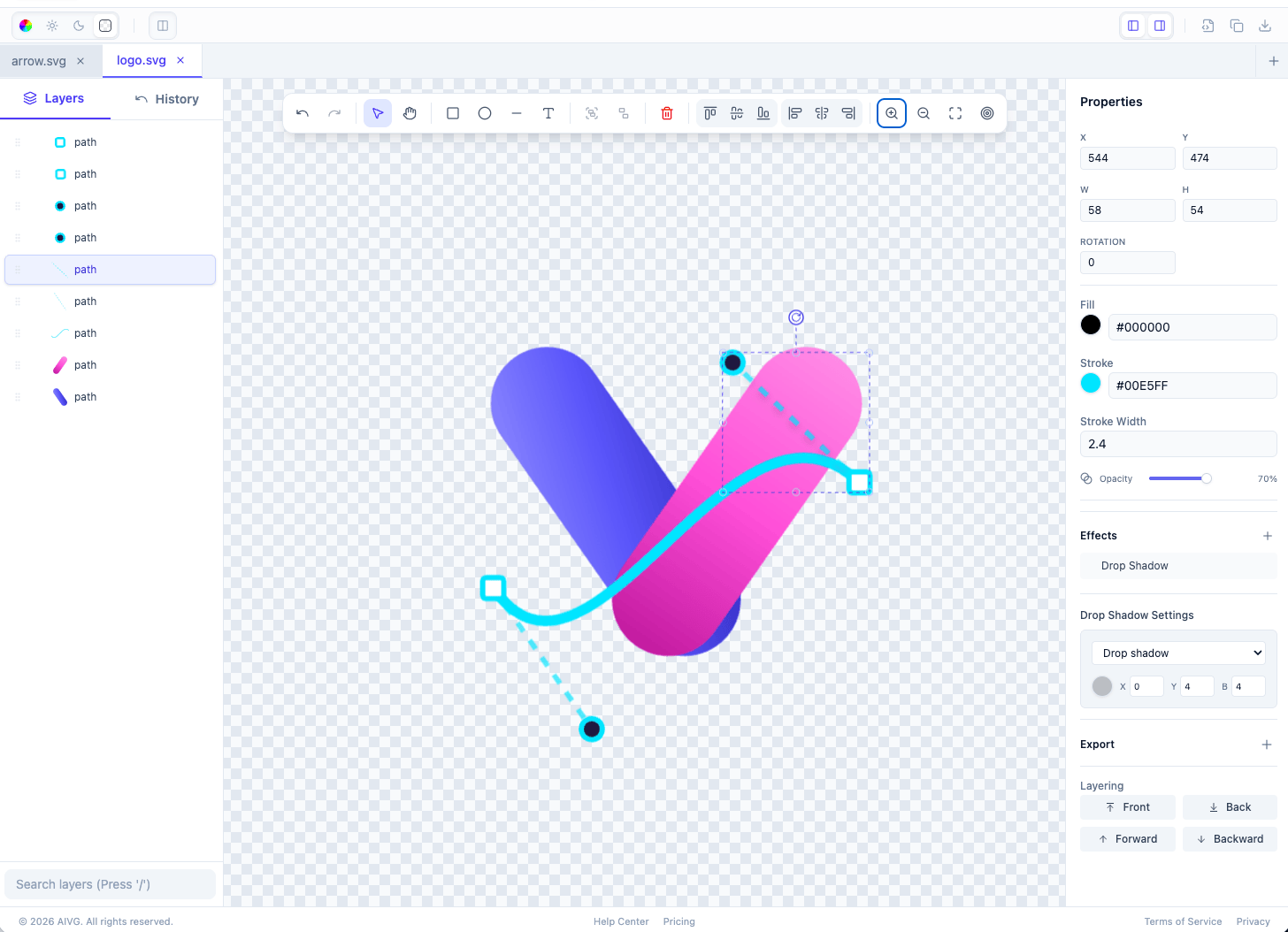
AI-SVG visual editor with layer panel, toolbar, canvas controls, and properties inspector
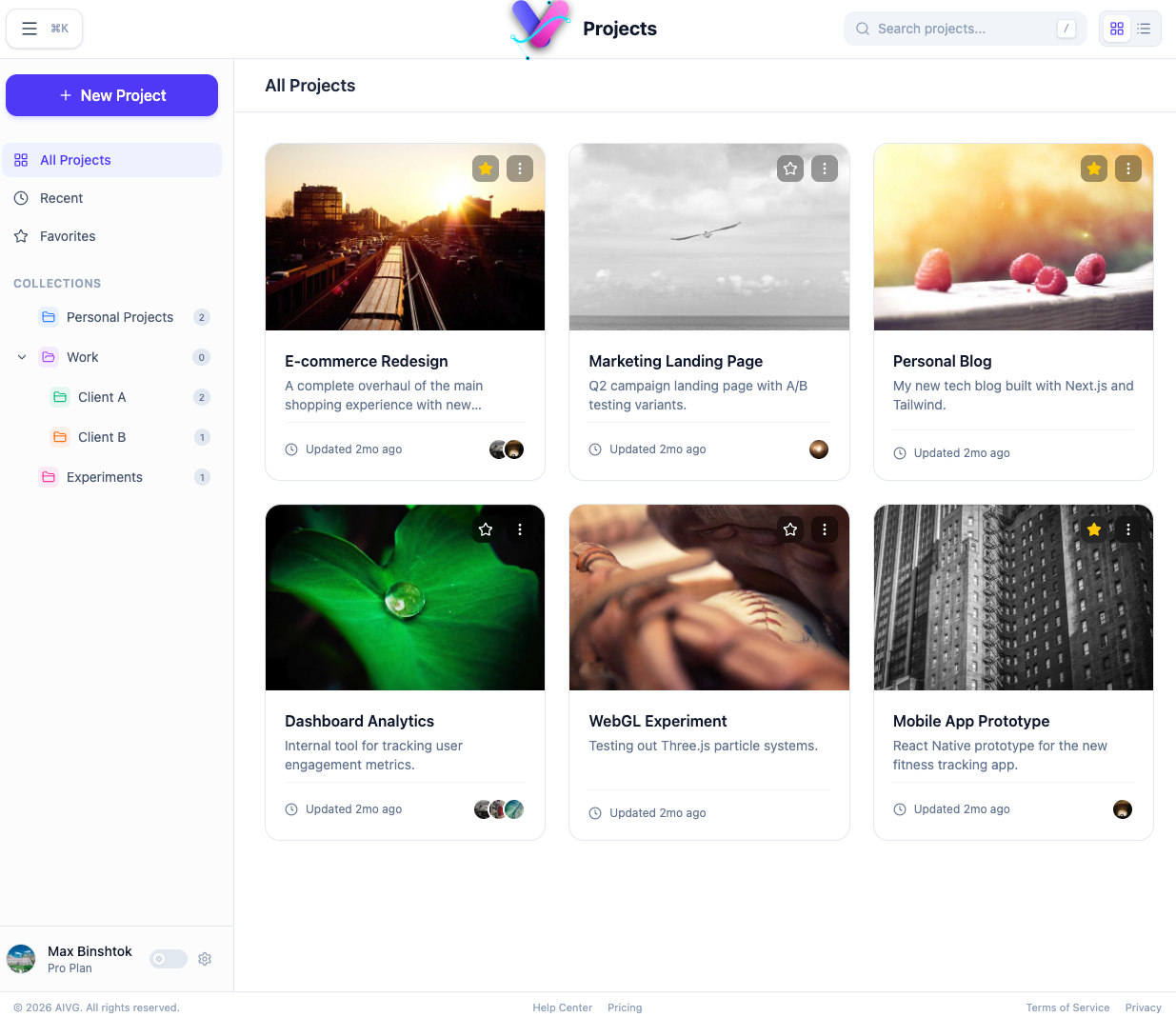
AI-SVG projects overview with grid cards, collections, and recent work
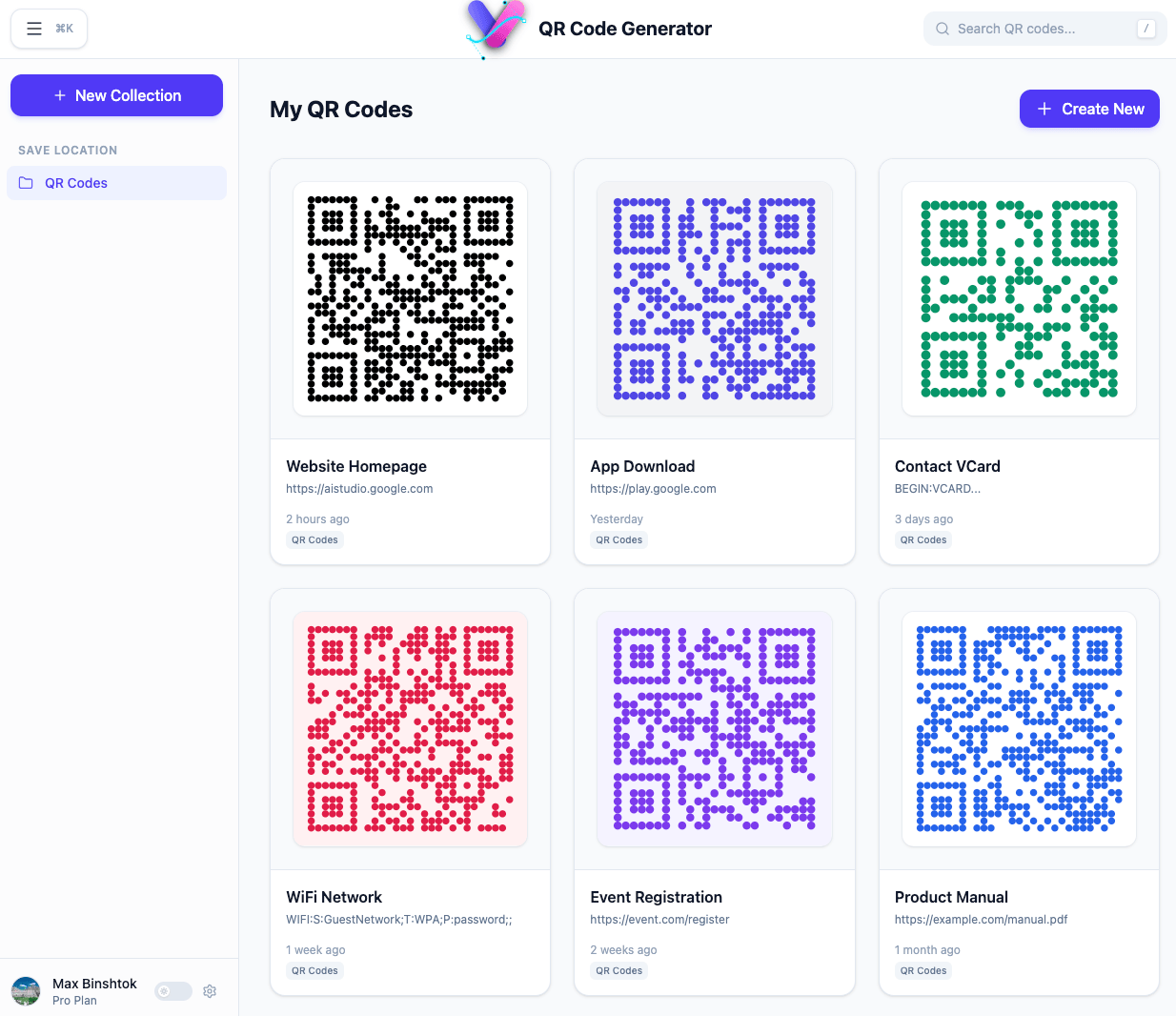
AI-SVG QR code generator with saved code collections and card grid
Why it exists

One product, three modes of work.

The useful part is not only generation. The interesting part is being able to bounce between AI-assisted creation, a Figma-like editing surface, and raw SVG source without breaking the flow or scattering assets across separate tools.

Generate

Create SVG concepts and utility graphics fast, including QR codes and reusable vector assets.

Edit Visually

Adjust placement, layering, fills, strokes, opacity, and object transforms on a direct-manipulation canvas.

Edit Source

Drop to SVG markup when the last five percent matters and exact source-level control is the fastest route.

Organize

Keep projects, collections, generated assets, and user preferences inside the same workflow.

Visual editing

Figma-like manipulation for SVG-native work.

The editor view combines layers, history, a focused toolbar, and a detailed properties panel. That makes it practical to move from generated output into deliberate polishing instead of treating AI output as something you can only accept or discard.

  • Side by side display
  • Selectable layers and direct object manipulation on the canvas
  • Property controls for stroke, fill, dimensions, opacity, and effects
  • A workflow that stays native to vector graphics rather than flattening into raster edits
Detailed view of the AI-SVG visual SVG editor
The canvas stays central, with editing controls kept visible instead of hidden behind mode switches.
Projects View

Project structure instead of a pile of loose exports.

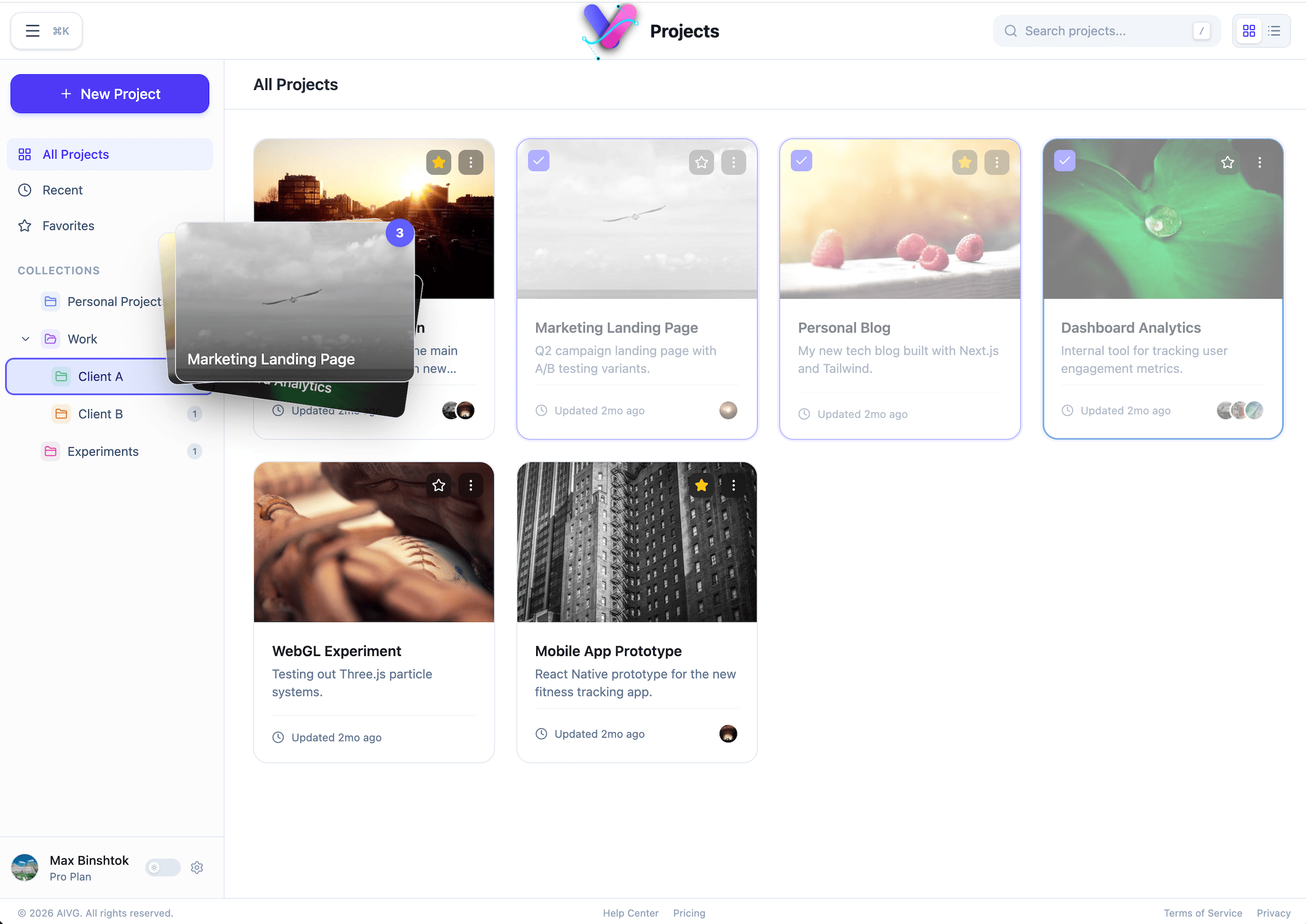
The project views suggest a system built for iteration. Assets are grouped, favorited, filtered, and revisited through collections, making it easier to treat SVG work as an evolving library rather than one-off downloads.
  • Dedicated project dashboards for current work
  • Collections and navigation patterns for larger libraries
  • Room for recent items, favorites, and grouped client or experiment work
Project manager screen with client collections and card-based project previews
Project manager view with nested collections, pinned items, and card-based previews.
Asset library

Generated vectors become a reusable catalog.

The library screen turns output into a searchable asset system. Icons, logos, illustrations, QR codes, and abstract shapes can live in the same place, which is exactly what you want once the generator starts producing more than disposable experiments.
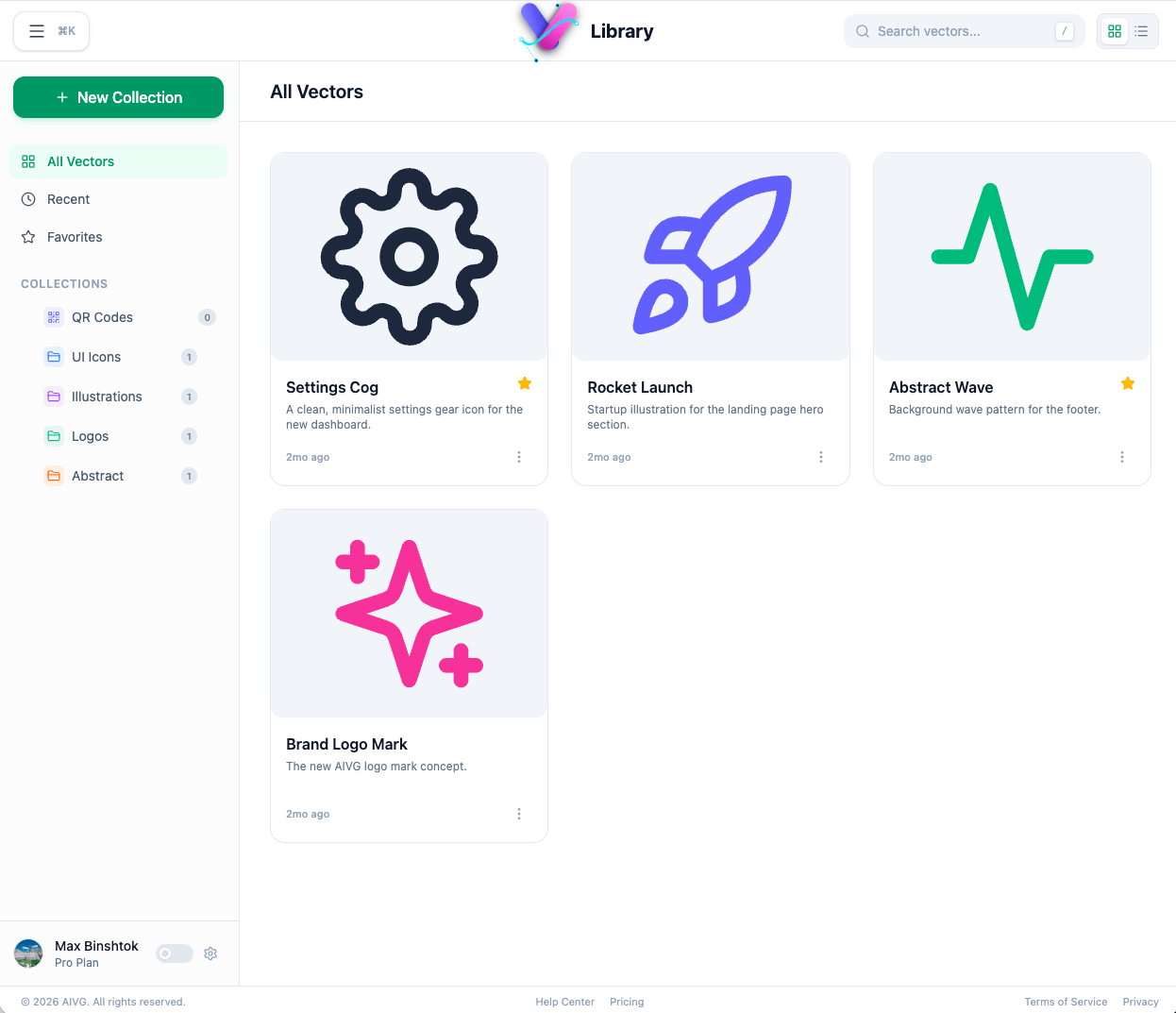
  • Collection-based organization for different asset types
  • Fast scanning with thumbnail-first cards and metadata
  • A natural bridge between generated assets and polished production graphics
Asset library screen with categorized SVG vectors and preview cards
Vectors are treated like inventory: easy to sort, revisit, and pull back into active projects.
QR Code Generator

Utility output gets the same product treatment.

QR code generation is not bolted on as a toy feature. It has its own saved collections, search surface, timestamps, and visually distinct styles, which makes it feel like part of the same asset pipeline rather than a separate mini-app.

  • Saved code collections and card views for quick retrieval
  • Multiple visual styles for different destinations and use cases
  • A practical fit for product docs, download links, event flows, and contact sharing
QR code generator screen with multiple saved QR entries and different visual styles
A focused QR workspace makes routine utility graphics feel first-class instead of tacked on.
Operational details

The supporting surfaces are there too.

Comprehensive settings and user controls ensure the product feels complete and professional while providing the flexibility and adaptability needed for various workflows.
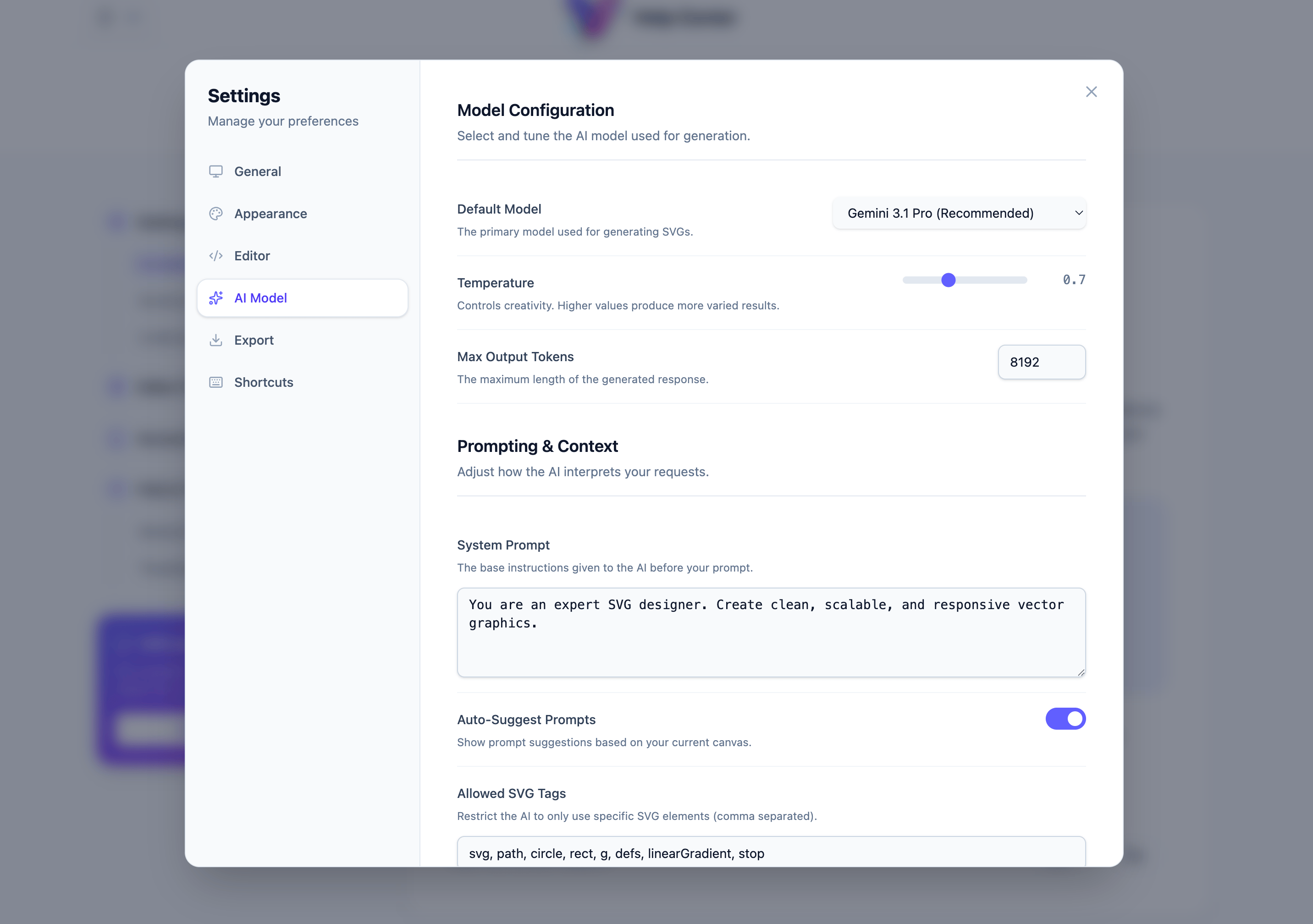
Workspace settings modal for AI model configuration, prompt context, and SVG generation rules
Workspace settings Tuning for model selection, prompting behavior, editor defaults, exports, and shortcuts.
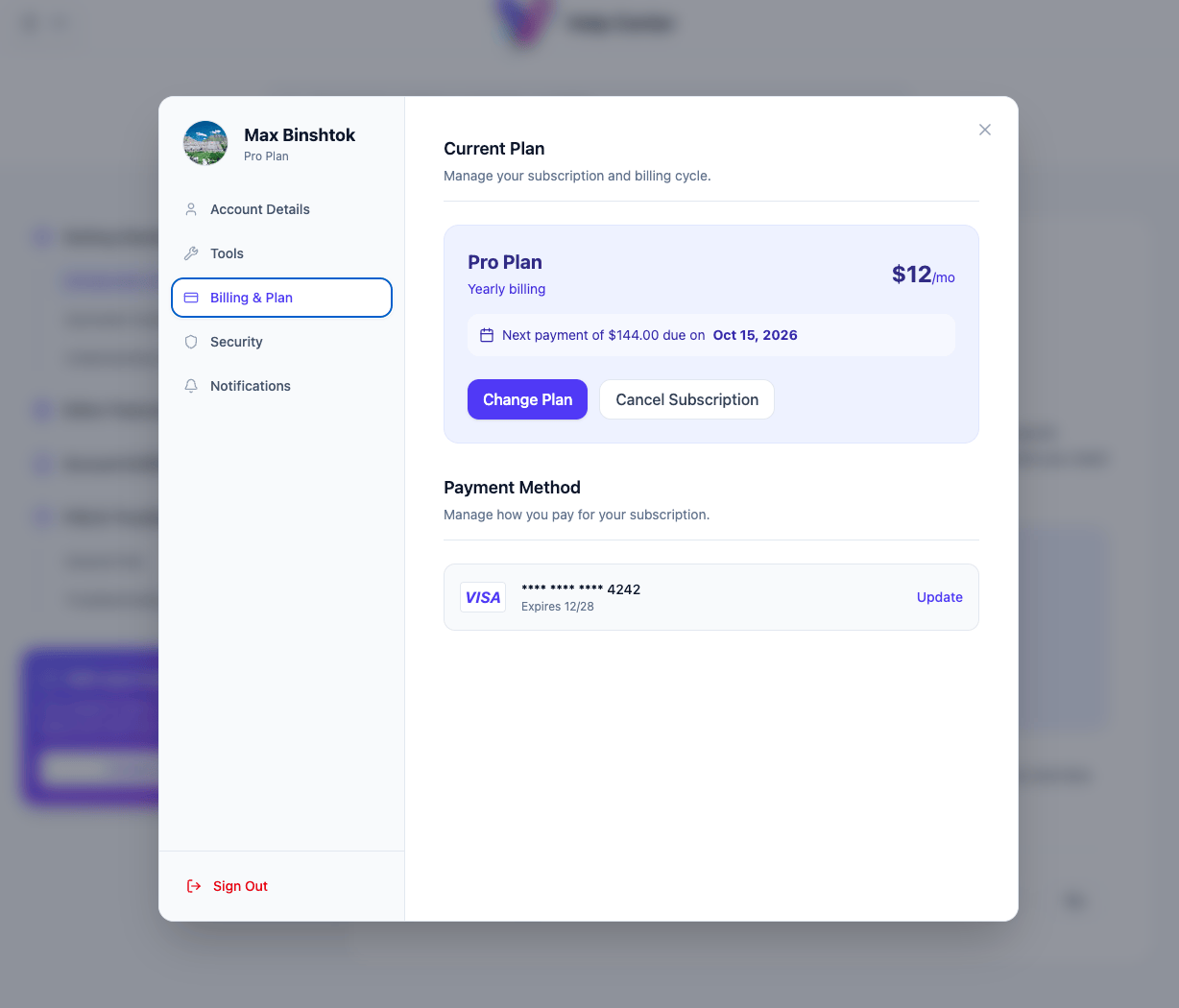
User settings modal for account details, subscription, security, notifications, and billing
User settings and billing Account settings and subscription management make it feel like a complete product, not only a demo UI.